This is a historical record. The file has not yet been located or enabled for download.
1 / 5
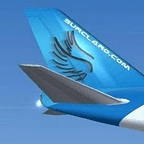
FSX JAL Airlines Boeing 747-400. Painted by. Bigs at ate-matil to just450athotmail.com Enjoy the flight of the JAL machine of the JAL airlines with both the Aloha airlines and the Hawaiian airlines in the Hawaiian sky. to install. copy following text in the C. Program Files Microsoft Game FSX SimObjects Airplanes b747400/Aircraft.CFG. Replace the x in [fltsim.X] through the next-higher number according to the gone ahead entry. [fltsim.X] title=Boeing 747-400 JALBIGS sim=Boeing747-400 model= panel= sound= texture=JAL kbchecklists=Boeing747-400check kbreference=Boeing747-400ref atcid=JAL2441 atcairline=JAPAN AIR atcflightnumber=2441 atcheavy=0 atcparkingtypes=GATE uimanufacturer=Boeing JAL uitype=747-400 uivariation=JAL Airlines uityperole=Passenger plane uicreatedby=Microsoft Corporation description=JAL Airlines soars to the sky. Copy the folder texture.JAL into the folder C. Program Files Microsoft Game FSX SimObjects Airplanes b747400. After the one which it wanted to make an AI Airplane, too, did the above operation. C. Program Files Microsoft Game FSX Scenery World Scenery Put TrafficJALBIGS.bgl in Scenery. A JAL Airplane appears on RJAA, RJTT, RJBB, RJOO,PHNL It asks for aviation traffic by more than 40 percent. Thats it! Start FSX, select Boeing 747-400, JAL airlines International. Good flight! I hope you enjoy it. Thank you.
Original information
- ID
- 21422
- Category
- FSX Aircraft addons
- File
- jalbigs.zip
- Size
- 1,518.4 KB
- Historical views
- 1,961
- Rating
- 0.00 / 10 (0 historical votes)
- File status
- verified