Natural voice commands
Speak configured commands and values while keeping your attention on the aircraft and the flight.
From SurClaro to the modern cockpit
SimVoice Copilot turns natural voice commands into configured cockpit actions for Microsoft Flight Simulator 2020 and 2024, with local recognition, clear feedback and profiles you control.
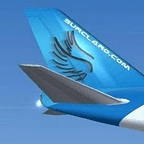
SimVoice Copilot is developed by the creator of SurClaro. It carries the same interest in practical tools, community knowledge and accessible flight simulation into the current MSFS generation.
Use the commands that make sense for your aircraft and your way of flying instead of adapting to a fixed list.
Speak configured commands and values while keeping your attention on the aircraft and the flight.
Choose the recognition language that fits you, with localized commands, interface and feedback.
Organize commands by aircraft or cockpit so each configuration remains relevant and predictable.
Connect spoken phrases to supported simulator actions and keyboard mappings with configurable responses.
See what was recognized, which command matched and whether the requested action was executed.
Core voice recognition runs locally, reducing dependence on cloud services during normal operation.
Load the commands and mappings prepared for the aircraft or cockpit you are flying.
Use push-to-talk, wake-word or continuous recognition according to your preferred workflow.
SimVoice Copilot shows what it heard and reports the action applied in Microsoft Flight Simulator.
SimVoice Copilot is a companion application. Microsoft Flight Simulator must be running and connected for simulator commands to execute.
Discover the current release, documentation and subscription options on the official SimVoice Copilot website or install it directly from Microsoft Store.